
Host a server
Hosting is optional: players never need it. If you would like to run servers for everyone, the free server package runs dedicated servers on a Windows PC with no window and no graphics card needed. They show in every player's Server Browser under Community.
You will need
- Windows 10, 11 or Windows Server, 64 bit. Nothing else to install: the package brings its own Python.
- Your own copy of the game for Xbox 360: its package file, installed once.
- An upload connection that can carry your players, and ports you can open (see Ports and firewalls).
Steps
Download and unzip the server package
From the latest release, download
BF1943-Reborn-Server-(version)-windows.zipand unzip it anywhere you can write to.Open BF1943 Server.bat
The server manager opens in your browser at
http://127.0.0.1:18280/. It keeps running in the background, with no window.Install the game files
On Game files, choose your package and Install. It is unpacked into
game, once.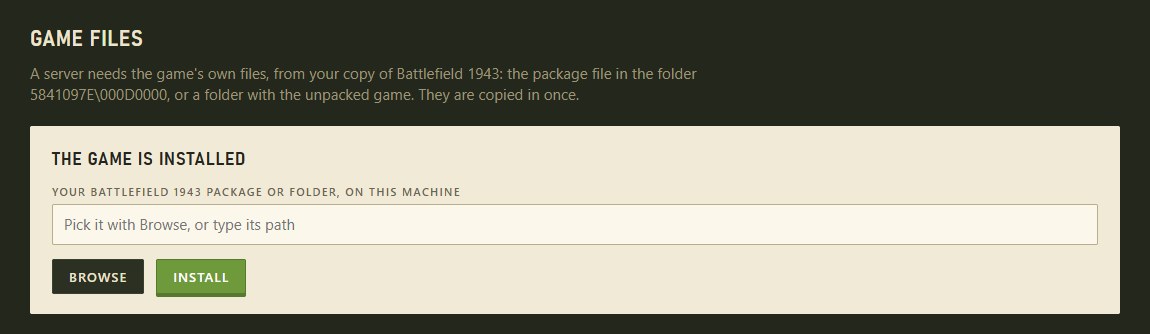
Game files. Install the game from your own package. Set up your servers
On Servers, each server has its own name, description, maps (played in that order), players, port and tick rate. Add a server for more. Then Start all.
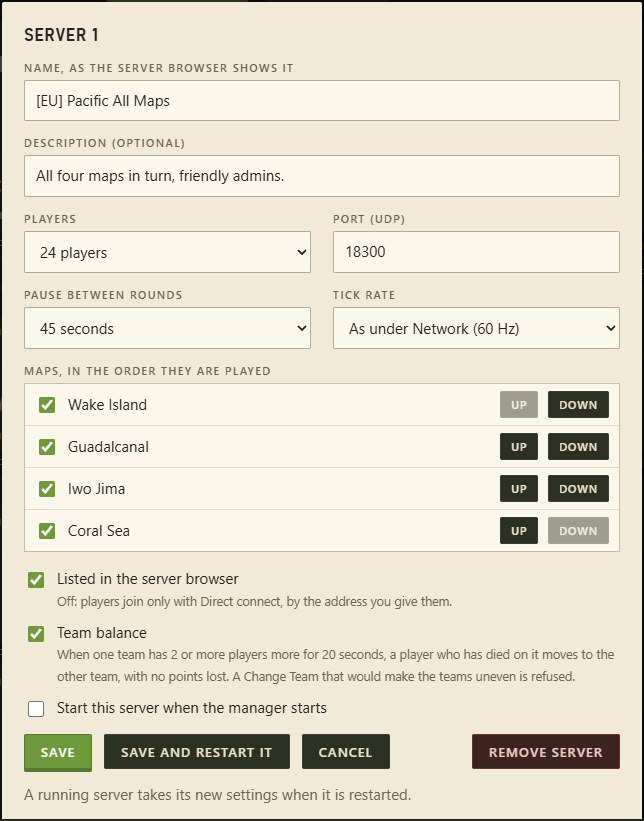
A server's settings. Its name in the browser, its maps in order, players, port and team balance. Choose your network settings
On Network, pick your region: players see it with its flag. Leave Open the ports on my router automatically on behind a home router. LAN only keeps your servers off the main list: players then join with Direct Connect, by this PC's address.
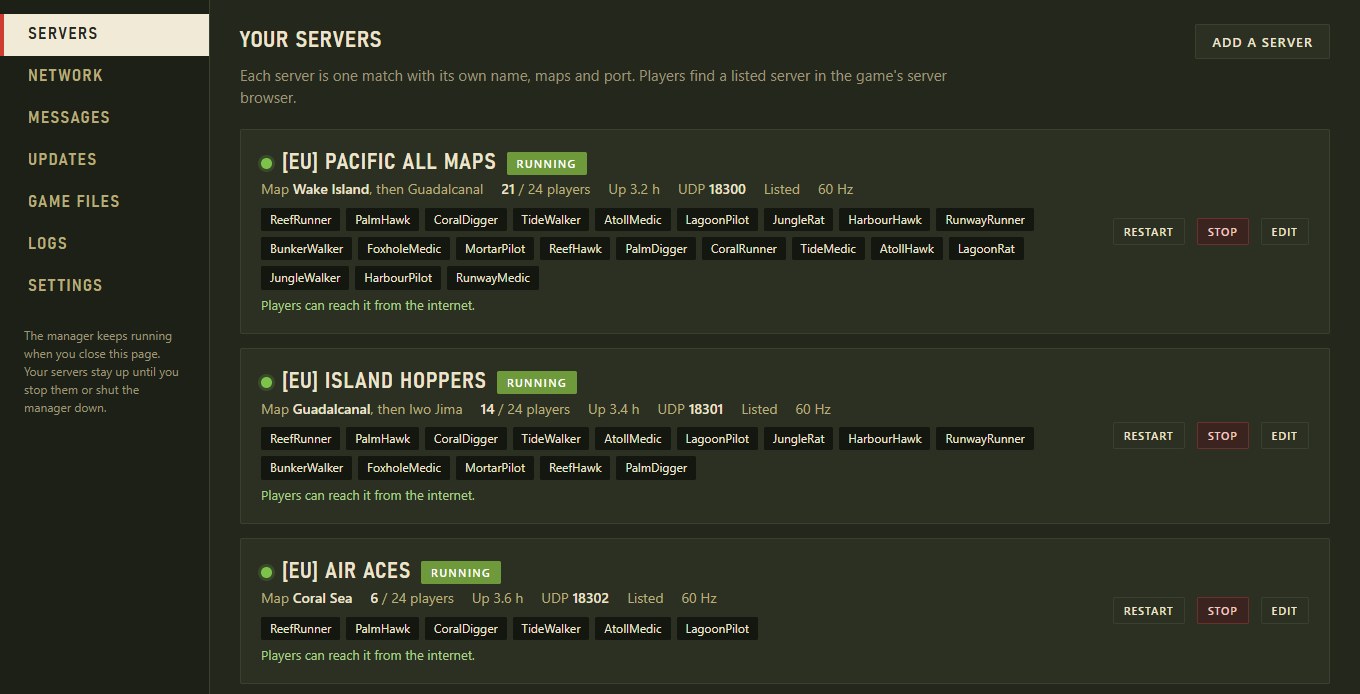
Starting and stopping
- The manager starts a server again if it stops.
- Stop servers.bat ends everything.
- Start servers (no window).bat starts them with the saved settings, for a PC that starts its servers by itself. Settings, Starting can start your servers with the manager, or the manager when you sign in to Windows.
- The manager's page answers only on the PC itself, unless you set a password for it and allow other machines in Settings.
Next: open your ports and run your server day to day.