
Joining a game
You never need to host anything to play. The Reborn servers and the community's servers are online around the clock: start the game and join one.
Quick Play
On Home, Quick Play joins the busiest server with room. It is the fastest way into a match.
The Server Browser
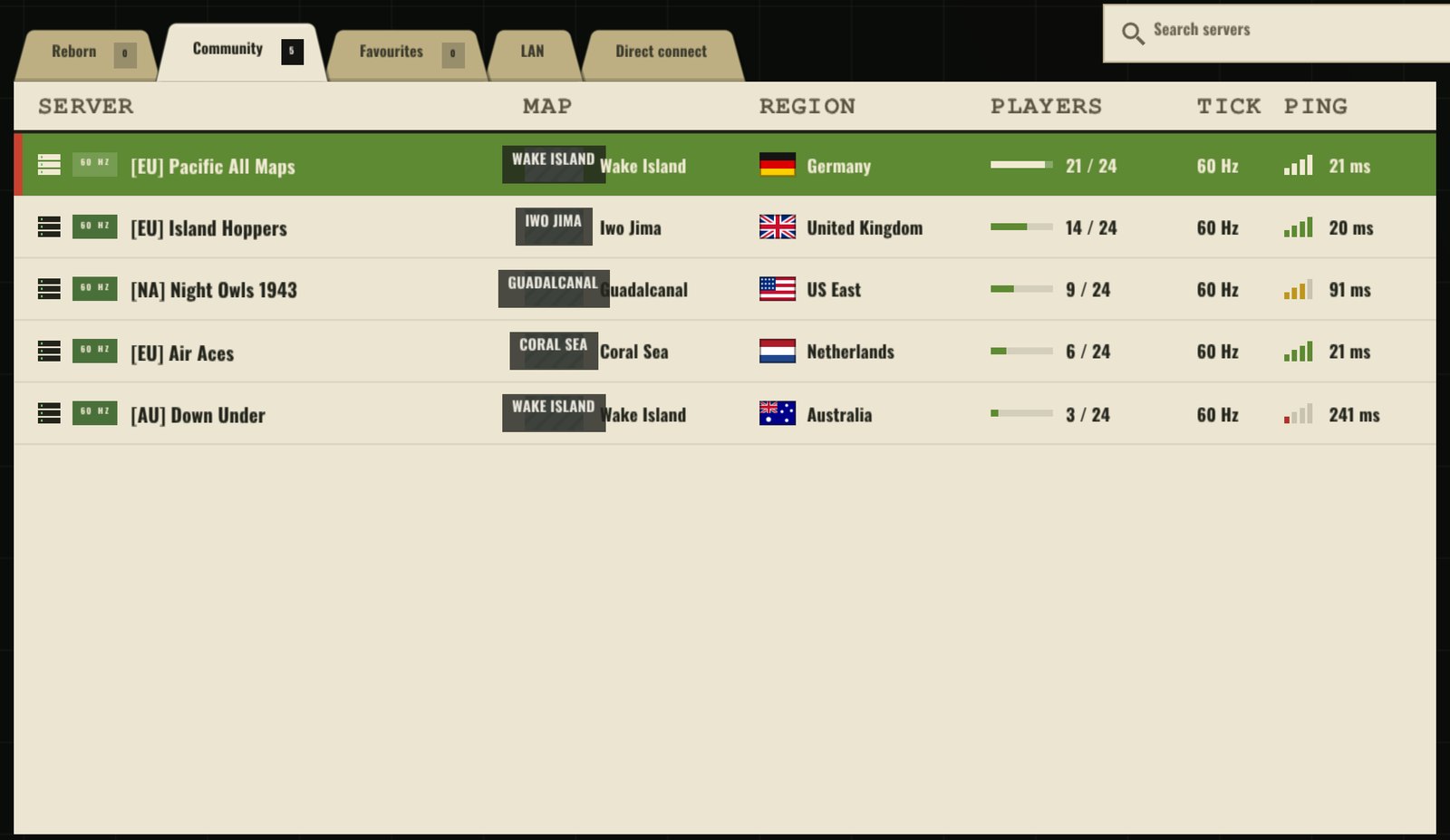
To choose your server, open the Server Browser. Its tabs:
- Reborn: the project's own servers, and community servers we have checked and list with ours, marked TRUSTED COMMUNITY SERVER.
- Community: servers run by players. A friend's listed Custom Match is here too.
- Favorites: servers you have starred.
- LAN: matches on your own network.
- Direct Connect: type an address, for a server that is not listed.
Each server shows its map, its players, its region with its flag, its tick rate and your ping. Search, the region filter, Has players and Not full narrow the list.
Full servers and queues
Join a full server and you get a place in its queue. A popup shows your position as it moves up, and you join by yourself when your turn comes. Close leaves the queue.
Before you join a community server
Community servers are run by their owners, who set their own rules. When you join one we have promoted to the Reborn tab, the game first shows whose server it is and where to report problems.
Want to check who is playing before you start? The Servers page shows the same list, live.