
The first start
The first time you start 1943 Reborn, a short setup gets you ready. It only runs once.
Steps
Select your game package
Pick the package from your own copy, as in Your game files. It is installed into the
gamefolder.Wait for the shaders
The game prepares its shaders on a page of its own, so effects do not stutter the first time you see them. This happens once, and again once after each update, never while you join a server.
Choose your soldier name and clan tag
Your name is what other players see on the scoreboard. You can add a clan tag and protect your name with a recovery code here too: see Your name and clan tag.
Set up your screen, graphics, controls and voice
Pick your display, a graphics preset (Potato, Low, Medium, High or Ultra), Keyboard & Mouse or Controller, and voice chat. Everything can be changed later in Settings.
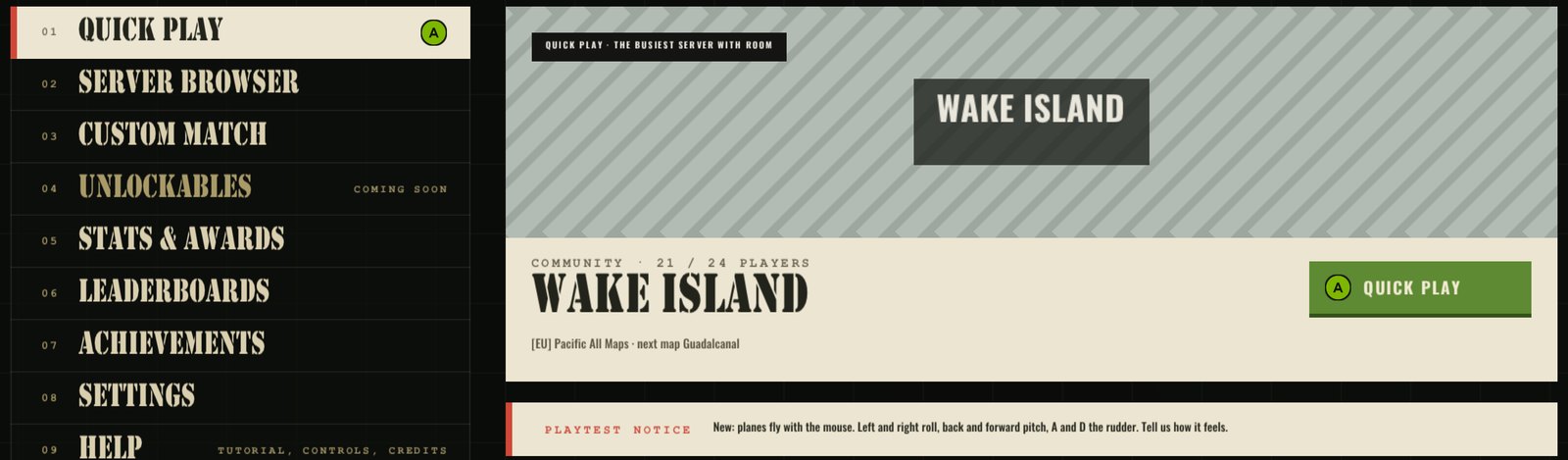
Press Quick Play
You are on the launcher's Home. Quick Play joins the busiest server with room. That is all you need to play: see Joining a game.
Where your things are
Your settings, logs and crash reports stay on your PC, in the folder user next to the game. They only reach us if you send them yourself, for example in a bug report.