Guides · Controls and settings · Guide 4.3
Graphics and display
A graphics preset is the quickest way to match your PC. Everything else can be tuned in Settings, Graphics and Settings, Display.
Presets
Potato and Low are for older and low end PCs and integrated graphics, Medium and High for most, Ultra for fast cards: full resolution with the highest shadows, ambient occlusion and global illumination.

Older PCs
- Try Potato or Low.
- Upscaling with AMD FSR 1 or NVIDIA Image Scaling draws fewer pixels and scales the picture up to your screen, on any graphics card.
- The game stays smooth below 30 frames a second too.
Display
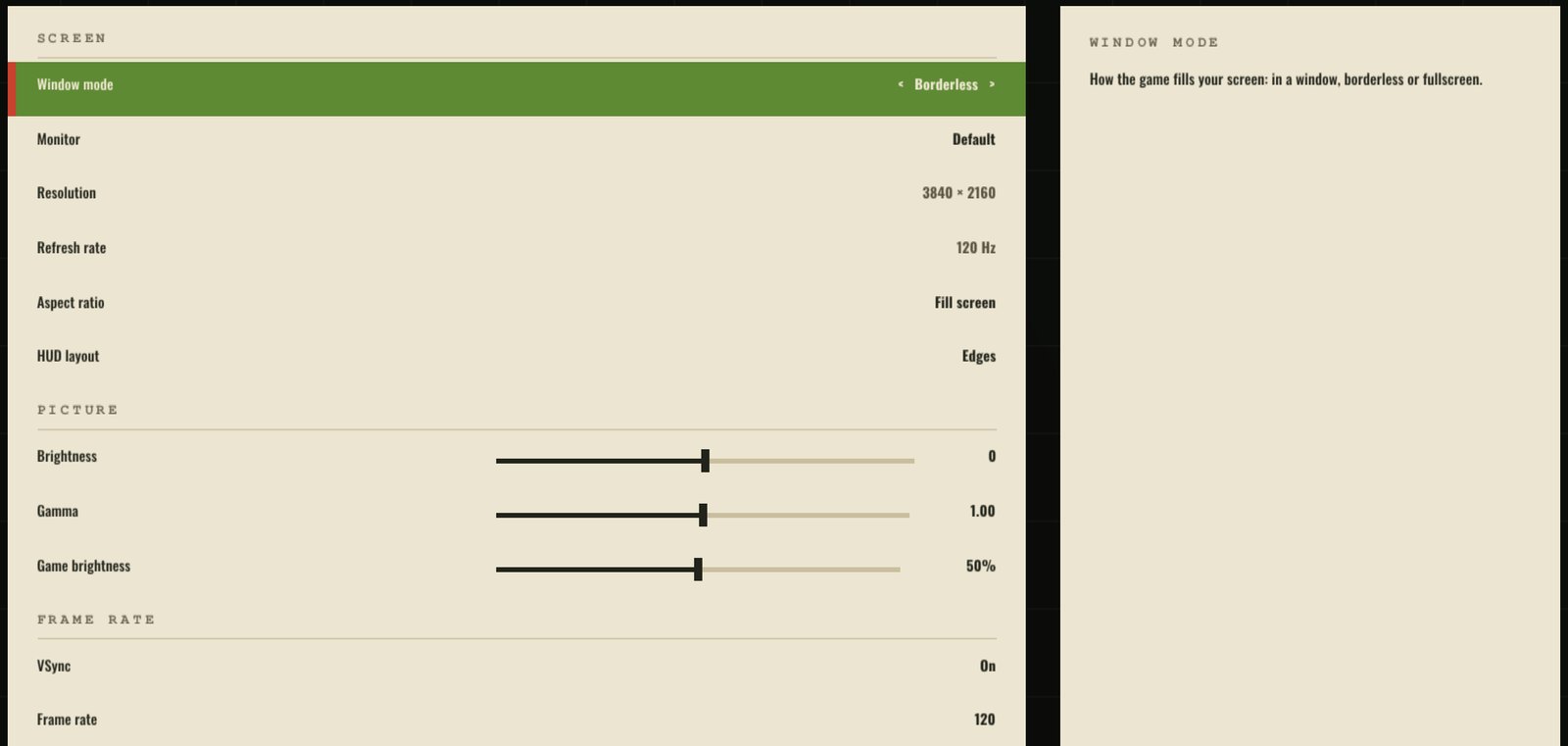
- Windowed or borderless, with monitor, window size, resolution and refresh rate.
- A frame rate limit from 30 to 240, or none, and VSync. Future frame rendering gives more frames for a little more input lag (off by default).
- Ultrawide: 21:9, 32:9 and other wide screens get a wider view with nothing stretched. HUD layout puts the minimap and ammo at the sides or keeps the HUD in the middle. Or choose Letterbox 16:9.
- Field of view on foot and in vehicles, camera shake, brightness and gamma, HUD scale and minimap size.